OpenSeesMatlab¤
OpenSeesMatlab brings the OpenSees finite-element engine into MATLAB. You build and analyze a model with familiar OpenSees-style commands, then use MATLAB variables and the toolbox modules to prepare inputs, manage analyses, retrieve results, and visualize them.
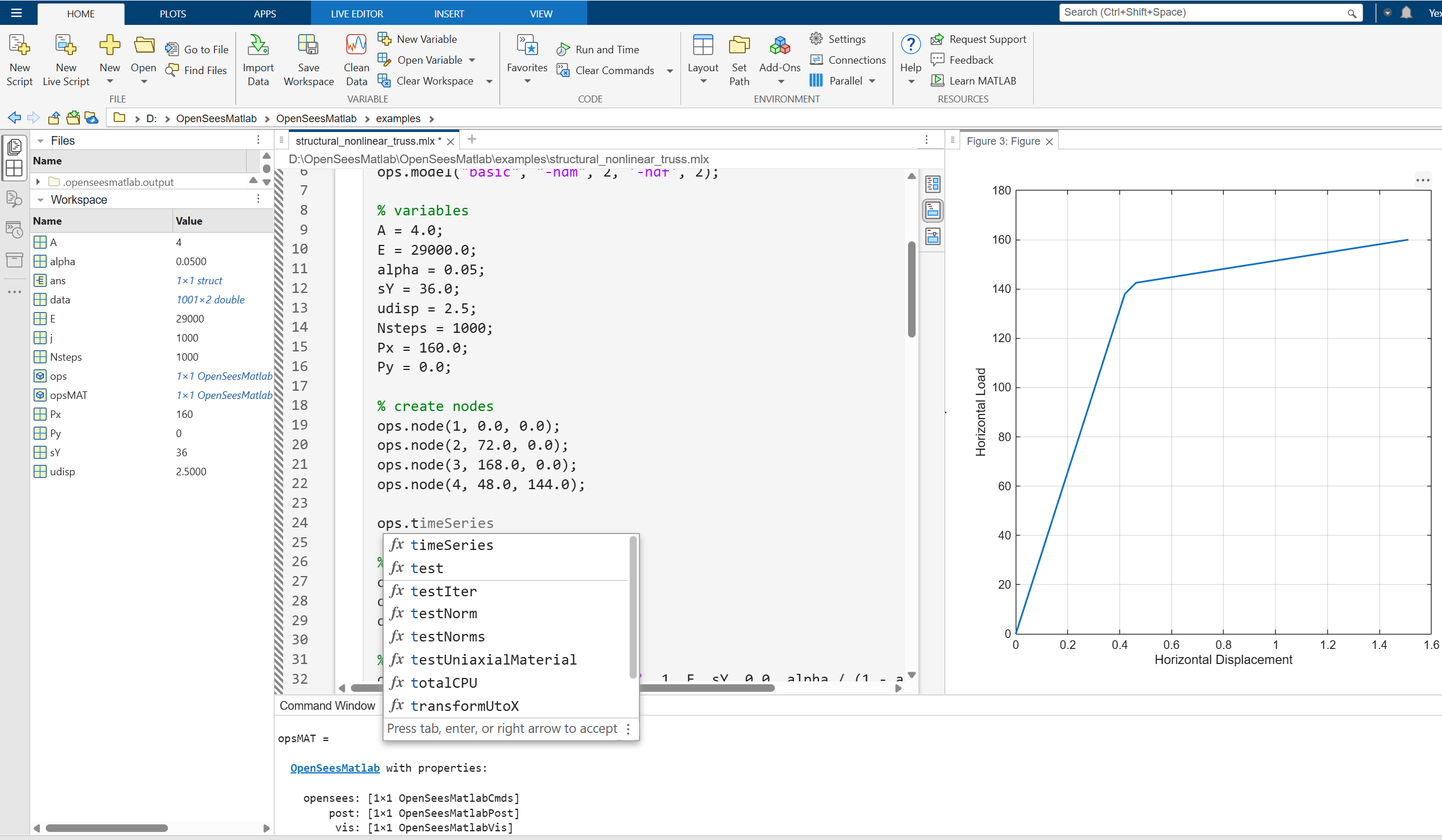
Start here¤
Choose the path that matches what you want to do:
| Goal | Recommended page |
|---|---|
| Understand the toolbox and its modules | OpenSeesMatlab at a glance |
| Install and verify the toolbox | Installation |
| Build and analyze a first model | Your first analysis |
| Translate OpenSees or OpenSeesPy commands | OpenSees command interface |
| Record, retrieve, and visualize results | Pre/post-processing and visualization |
| Use OpenSeesMatlab-specific functionality | Extensions |
| See complete engineering examples | Examples |
New to both OpenSees and OpenSeesMatlab?
Read the toolbox overview, complete the first analysis, and then open an example closest to your own model type.
The basic workflow¤
Most projects follow the same sequence:
- Create one
OpenSeesMatlabobject. - Use
opsMat.openseesto define and analyze the OpenSees domain. - Read values directly during analysis, use standard OpenSees recorders, or create an OpenSeesMatlab ODB for structured results.
- Use MATLAB or
opsMat.visto inspect and visualize the results. - Call
wipebefore building an unrelated model in the same MATLAB session.
1 2 3 4 5 6 7 8 9 10 11 12 13 14 15 16 | |
OpenSeesMatlab intentionally keeps the OpenSees command vocabulary. In most cases, an OpenSees or OpenSeesPy command can be translated by changing the call form rather than learning a new modelling language:
1 2 | |
How it differs from Tcl and OpenSeesPy¤
All three interfaces ultimately build and analyze a domain in the same OpenSees C++ computational core. Tcl, OpenSeesPy, and OpenSeesMatlab each wrap that core with a language-facing binding and data-conversion layer: the layer translates host-language command arguments into values understood by OpenSees, invokes the corresponding C++ command, and converts returned values back into Tcl, Python, or MATLAB data. The wrappers are implemented differently, but the element formulations, solution algorithms, and most command concepts come from the shared OpenSees core. The main user-facing differences are therefore the host-language syntax, data model, surrounding ecosystem, and additional workflow tools.
| OpenSees Tcl | OpenSeesPy | OpenSeesMatlab | |
|---|---|---|---|
| Host environment | Tcl interpreter and command-line scripts | Python and its scientific ecosystem | MATLAB, Live Scripts, and MATLAB toolboxes |
| Typical command | node 2 1.0 0.0 |
ops.node(2, 1.0, 0.0) |
ops.node(2, 1.0, 0.0); |
| Returned data | Commonly written with recorders or handled as Tcl values | Python scalars, lists, NumPy arrays, and user-defined workflows | MATLAB scalars, arrays, structs, tables, and toolbox workflows |
| Model automation | Tcl loops and procedures | Python functions, classes, packages, and notebooks | MATLAB functions, classes, scripts, Live Scripts, and apps |
| Built-in workflow in this project | Standard OpenSees commands and recorders | Provided by the separate OpenSeesPy ecosystem | Preprocessing, analysis helpers, ODB post-processing, and visualization |
| Interactive visualization | Normally external or script-based | Python plotting/viewer packages | MATLAB figures plus the recommended Polyscope GUI |
| Current OpenSeesMatlab platform scope | OpenSees itself is available on multiple platforms | Available on multiple platforms | The distributed OpenSeesMatlab toolbox currently targets Windows and requires MATLAB |
Choose Tcl when you want the traditional OpenSees scripting environment and maximum compatibility with established Tcl examples. Choose OpenSeesPy when the surrounding workflow is primarily Python-based. Choose OpenSeesMatlab when model generation, calibration, signal processing, optimization, plotting, or application development already takes place in MATLAB.
Equivalent commands do not imply identical scripts
Command names and argument order are usually close, but Tcl list expansion, Python containers, and MATLAB arrays/cell arrays follow their respective language rules. When translating a model, check the MATLAB calling conventions and verify the resulting model and analysis independently.
What the main object provides¤
| Property | Use it for |
|---|---|
opsMat.opensees |
OpenSees model, loading, analysis, recorder, and query commands |
opsMat.pre |
Units, sections, meshes, matrices, and other preprocessing helpers |
opsMat.anlys |
Higher-level analysis workflows such as robust step handling |
opsMat.post |
Model data, eigen data, ODB recording, response retrieval, and export |
opsMat.vis |
MATLAB model, mode-shape, deformation, and response plots |
opsMat.vis.polyscope |
Interactive Polyscope GUI viewers |
opsMat.utils |
General toolbox helpers and example utilities |
The modules share the same OpenSees domain through opsMat; do not create a separate top-level object for every module.
Choosing a result workflow¤
| Need | Use |
|---|---|
| A few values during or after an analysis | OpenSees query commands such as nodeDisp, nodeReaction, eleForce, and eleResponse |
| Maximum performance or OpenSees-compatible text output | Standard OpenSees recorder commands |
| Structured time histories for toolbox plotting and export | opsMat.post.createODB and the response retrieval functions |
For large transient models, record only the data you need. Convenience layers make exploration easier, while direct OpenSees queries and recorders minimize overhead.
Scope and requirements¤
- MATLAB R2023a or later
- Windows (the currently supported platform)
- Command syntax aligned as closely as possible with OpenSees and OpenSeesPy
- MATLAB-native access to returned numeric and structured data
- OpenSeesMatlab is an open-source engineering tool under active development. Validate models, units, convergence settings, and results independently before using them for engineering decisions.
Related resources¤
- OpenSees: Documentation | Command manual | Github
- OpenSeesPy: Documentation | Github
- opstool: Documentation | Github